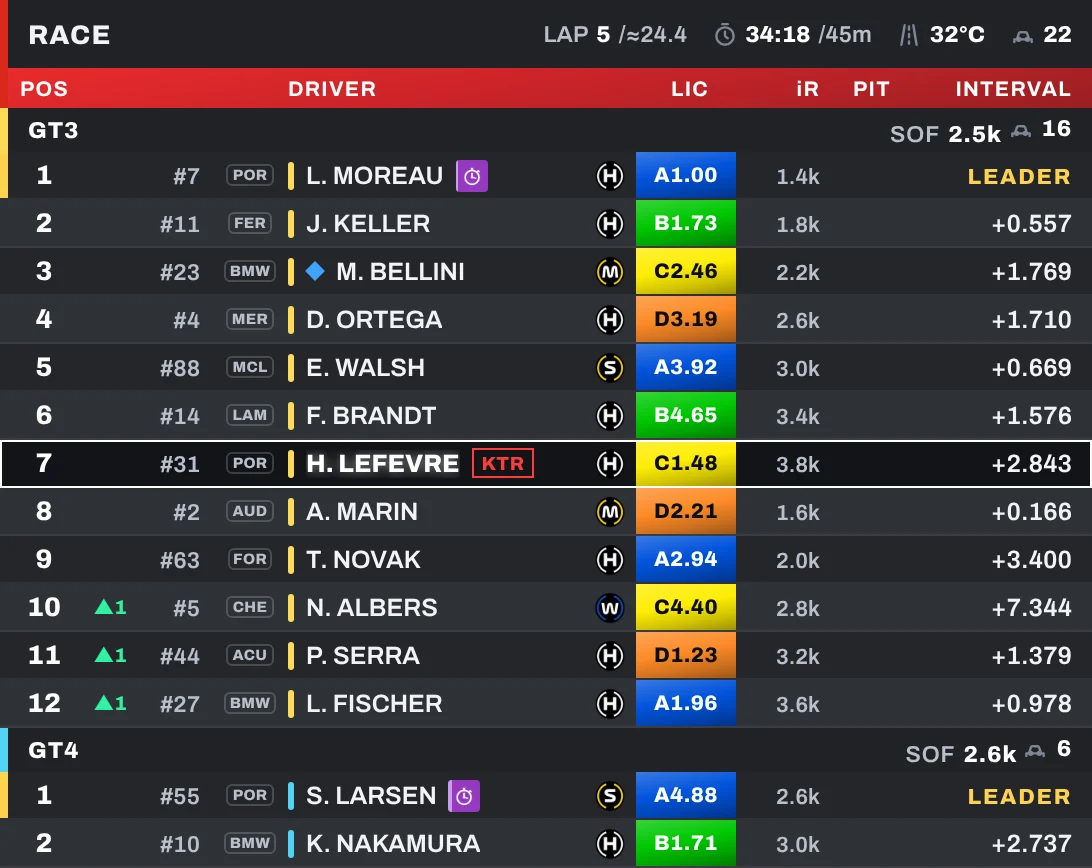
Standings
TV-style leaderboard with one block per class, licence, iRating and projected change, tyres, lap times, pit stops and overtake animation.
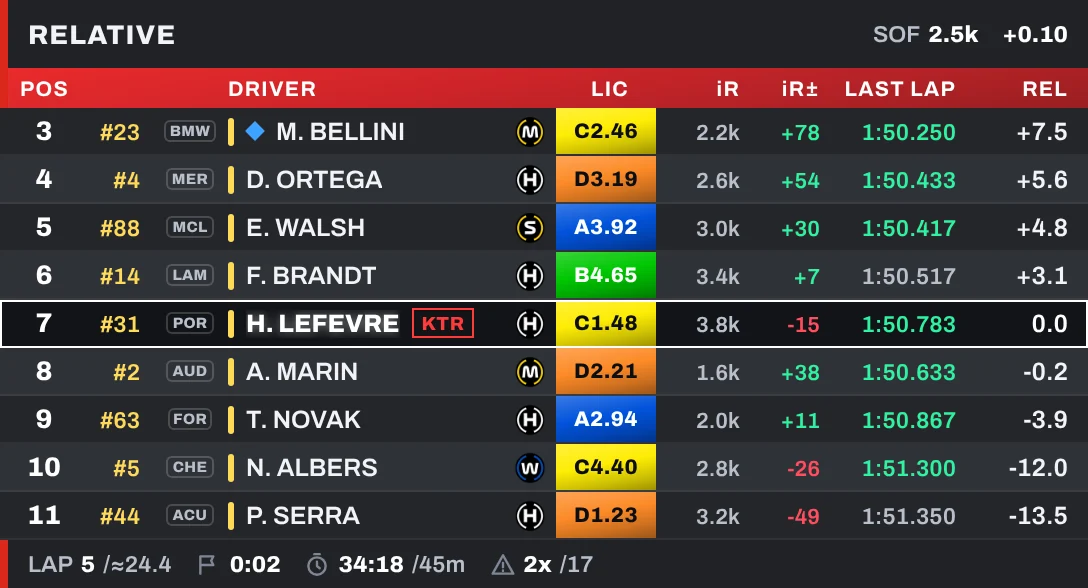
Relative
The cars around you with relative time, lapped cars in colour, class positions and session info in the header and footer.

Rival check
Cards of the cars around you with the gap and whether you are closing in or losing time.

Head to head
Your last 4 laps against the car ahead or behind: the faster one shows in green.

Lap times
Driver banner with sectors in colour, current, last and best lap and a lap summary at the line.
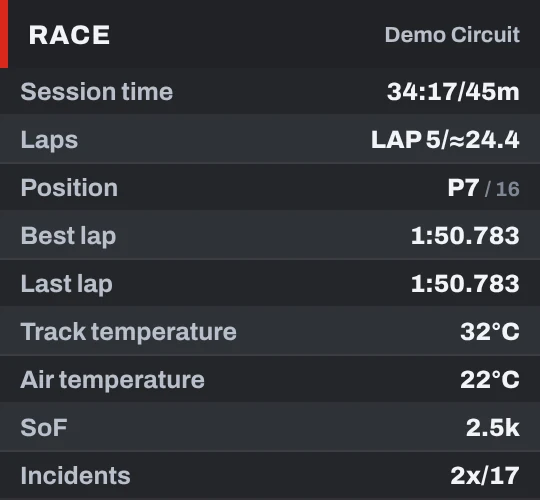
Session info
Time, laps, position, lap times, weather, SoF and incidents: you choose the rows.
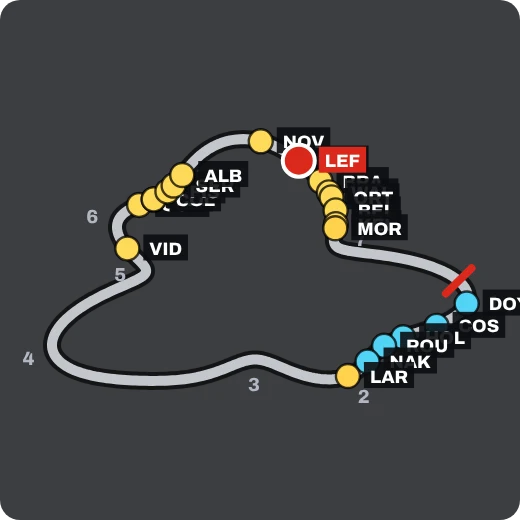
Track map
The circuit with corner numbers and every car by position, number or three-letter name.
Telemetry
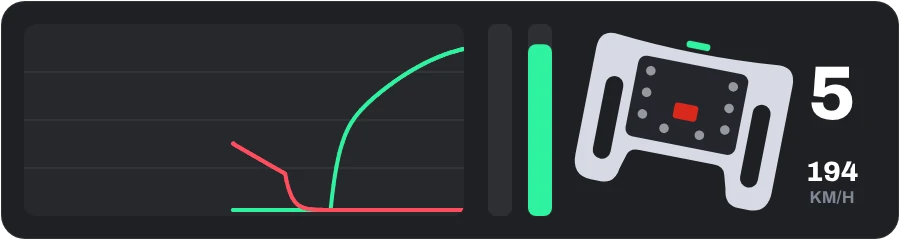
Throttle and brake trace with ABS and traction control, pedal bars and a GT wheel that turns with yours, with the gear beside it.

Inputs
Gear (red at the shift point), speed and horizontal bars for throttle, brake, clutch and steering.
Input graph
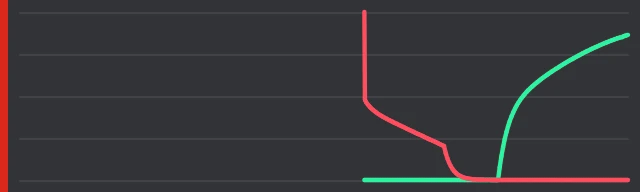
Only the pedal graph: light blue when traction control cuts in and amber with ABS.
Radar
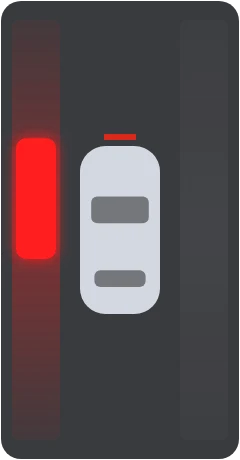
Cars beside you in three styles: your car seen from above, side lights or side lines.

Flags
The flag that matters right now, waving. The blue flag shows the faster car behind and how far it is.
Rejoin
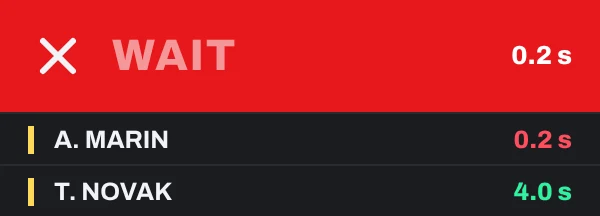
After a spin: WAIT, CAREFUL or REJOIN, with the cars coming and how far away they are.
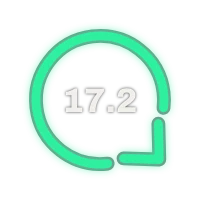
Wind
Wind direction relative to your car and its speed, in the colour you like.
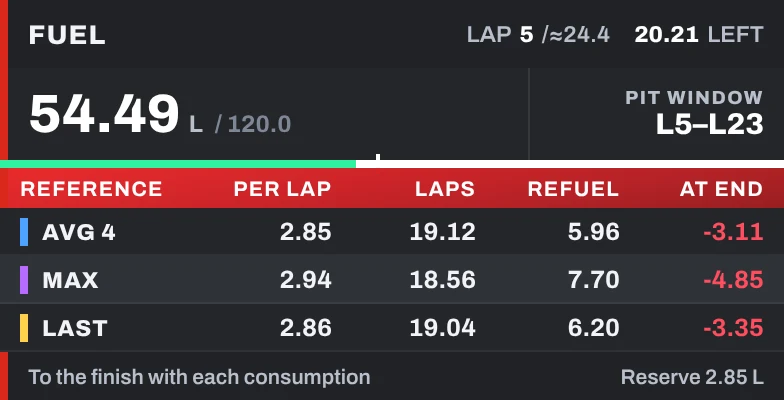
Fuel
Pit window and, for your average, highest and last lap: fuel per lap, laps of fuel, fuel to add and what is left at the flag.
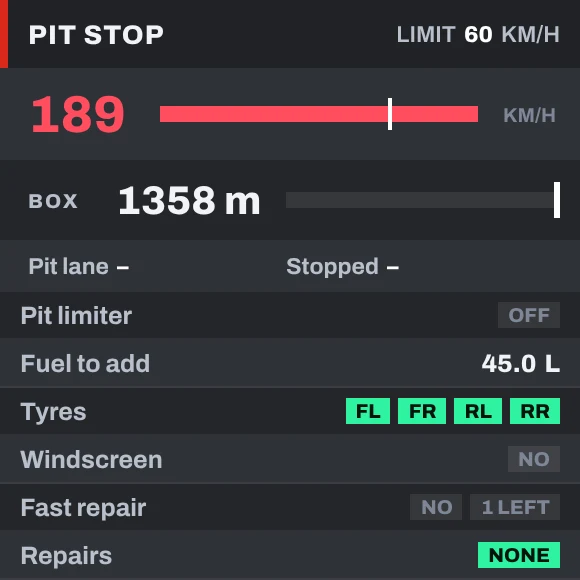
Pit helper
Speed against the limit, distance to your pit box with STOP, time in the lane and stopped, service and repairs.
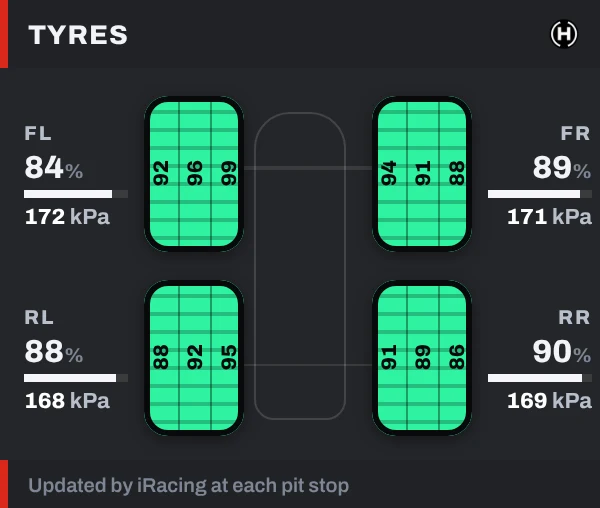
Tyres
Tyre-shaped blocks with inner, middle and outer temperature, wear and pressure, as iRacing reports them at each stop.

Race ticker
TV-style running order along the bottom, with fastest lap, new leader, overtakes and pit stops.

Setup coverStream only
Covers your setup on stream while you are in the garage.