Free · Windows · iRacing · LMU · ACC

Overlays built like a TV broadcast

Standings, relative, fuel, telemetry, radar, flags, rivals and much more on top of iRacing, Le Mans Ultimate and ACC (beta), plus stream overlays for OBS, a fuel calculator and the iRacing events. One light app, your layout.
Windows 10 / 11 · English, Español, Português · v
Standings overlay Relative overlay Fuel overlay Wind overlay
Broadcast designRed bars, rival cards and TV typography. No generic boxes.
18 overlays and streamingEverything you see in-game also goes to OBS with the same settings.
Free, in your languageEnglish, Spanish and Portuguese from day one.
Overlays

Everything you need while you drive

Move, resize, choose the columns and their order, and set the background transparency of every overlay.

Standings

Standings

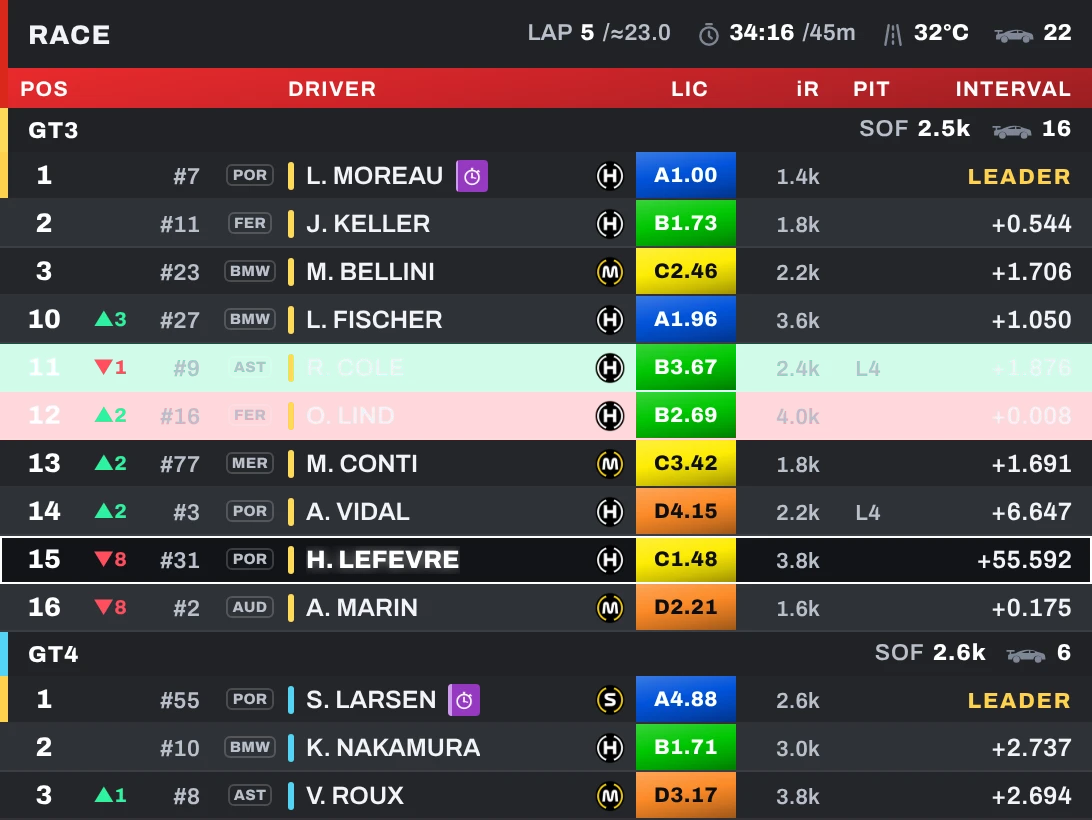
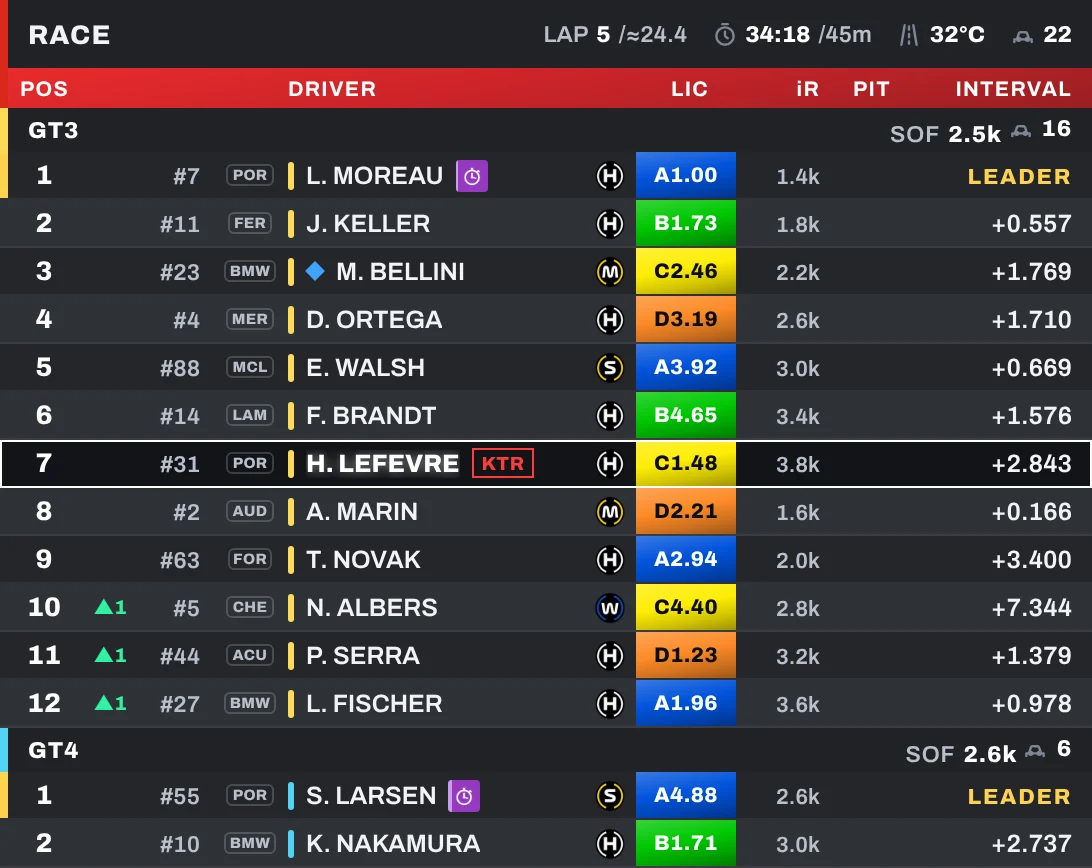
TV-style leaderboard with one block per class, licence, iRating and projected change, tyres, lap times, pit stops and overtake animation.

Relative

Relative

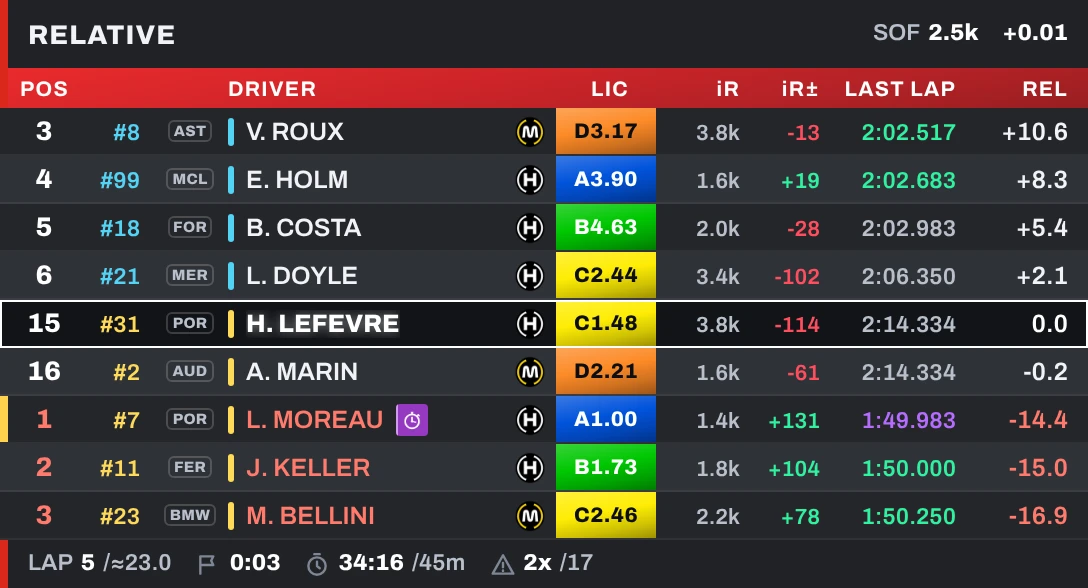
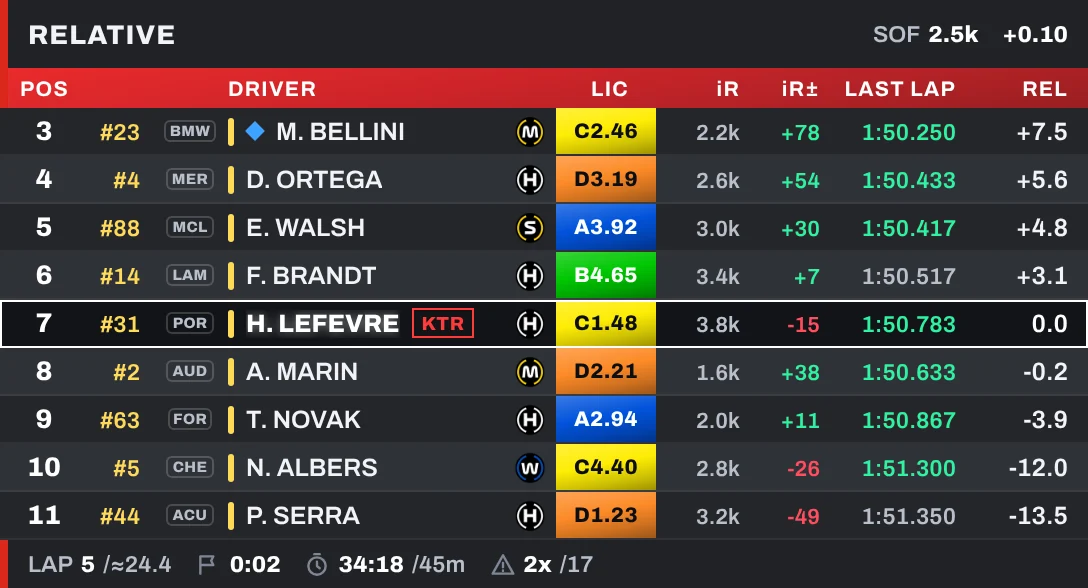
The cars around you with relative time, lapped cars in colour, class positions and session info in the header and footer.

Rival check

Rival check

Cards of the cars around you with the gap and whether you are closing in or losing time.

Fuel

Fuel

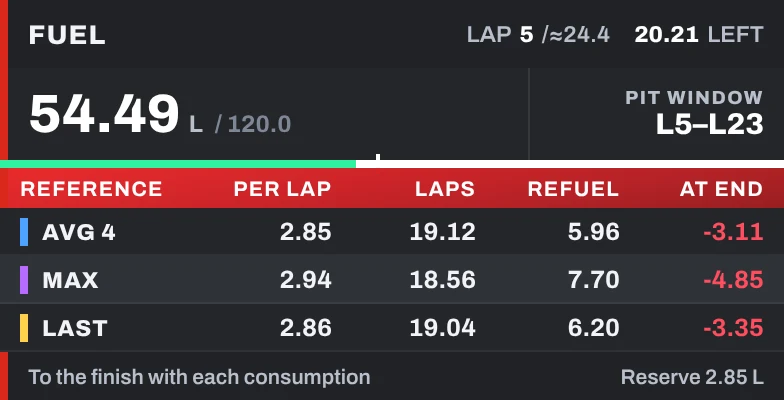
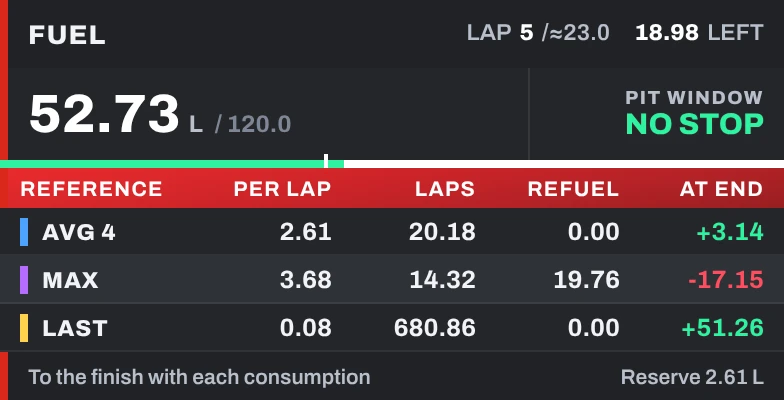
Pit window and, for your average, highest and last lap: fuel per lap, laps of fuel, fuel to add and what is left at the flag.

Telemetry

Telemetry

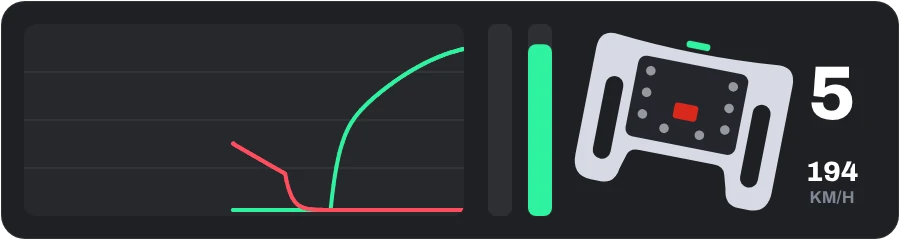
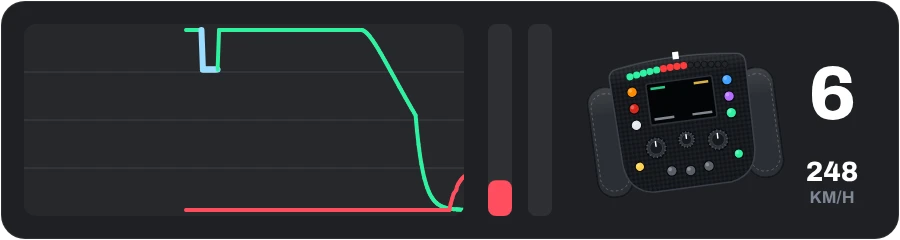
Throttle and brake trace with ABS and traction control, vertical or horizontal pedal bars with steering, and a wheel with shift lights that turns with yours, with gear and speed.

Head to head

Head to head

Your last 4 laps against the car ahead or behind: the faster one shows in green.

More than overlays

Tools for the driver

Fuel calculator

Stops, starting fuel, every stint and what to add at each stop. Fills itself from your session.

Events

The iRacing special events with a countdown and a NEW badge when the next ones are announced.

Mates

Mark the drivers you know and spot them at a glance in Standings and Relative.

Teams

Your team tag next to every teammate. Share a code and the whole team is set up.

VR

Your overlays in the headset

Every Pitwindow overlay can float inside your VR headset, right where you want it in the cockpit. Works with any headset through OpenKneeboard or a SteamVR overlay app.

Relative
Telemetry
Fuel
Track map
Standings

Move the mouse over the scene or the names to see each overlay. In the app: Livestream → VR.

Ready for the green flag?

Windows 10 / 11 · free · v

Download for Windows